How to Post a Tweet on X: Complete Step-by-Step Guide for Beginners
If you are searching for how to post a tweet on X, this guide explains the full process in simple language. You will learn where to write your post, how to make the first line stronger, when to add images or links, how to avoid common mistakes, and how to schedule posts with TweetQueue when you want to publish consistently.
What you will learn
This guide is for creators, founders, marketers, and SaaS teams that want a practical way to plan better X content without turning their account into a robotic posting machine.
The goal is to give you a repeatable workflow: collect ideas, turn them into useful posts, schedule intentionally, review quality, and use analytics to improve the next batch.
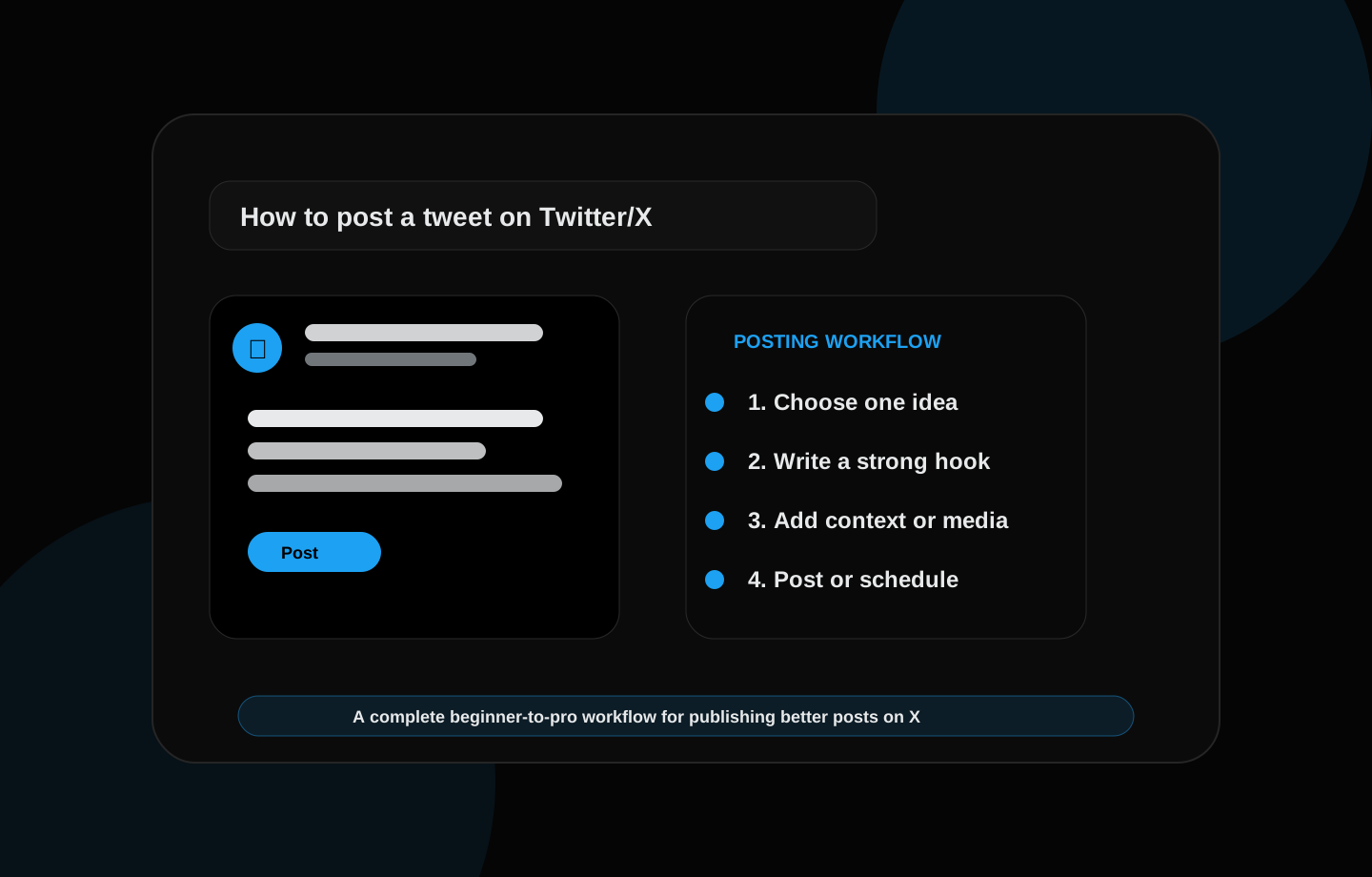
What does “post a tweet on X” mean?
X is the platform many people still call Twitter, and a tweet is now often called a post. When someone says “post a tweet on X,” they usually mean writing a short public update and publishing it from their account.
A post on X can be simple text, a question, a link, an image, a video, a poll, or the first part of a longer thread. The basic action is easy, but writing a useful post takes a little planning.
For creators, freelancers, founders, and brands, every post is a small chance to teach, start a conversation, show proof, promote a project, or build trust with the right audience.
How to post a tweet on X from mobile
Open the X app and sign in to your account. Look for the compose button, usually shown as a plus icon or post button. Tap it to open the post composer.
Write your message in the composer box. Keep the idea simple. A strong mobile post usually has short lines, a clear first sentence, and no unnecessary filler because people scroll quickly on phones.
Add a photo, video, GIF, or poll only if it supports the message. When your post is ready, tap Post. If the post is not urgent, you can also prepare it in a scheduling tool like TweetQueue and publish it later at a better time.
How to post a tweet on X from desktop
Open X in your browser and sign in. From the home feed, click the post composer area or the Post button in the navigation. This opens the box where you can write your tweet.
Desktop is useful when you want to write longer ideas, threads, product updates, or posts with screenshots. You can review formatting more carefully and check links before publishing.
After writing, read the first line again. If it does not clearly show the value of the post, rewrite it. Then add media if needed and click Post when you are ready.
The best structure for a good X post
A strong X post usually has three parts: a hook, context, and a next action. The hook is the first line that makes people stop. The context explains the idea. The next action tells the reader what to think, do, reply, click, or remember.
Example structure: “I used to struggle with posting consistently on X. Then I started planning 10 ideas every Sunday and scheduling the best five. The result: less stress, better posts, and a cleaner content calendar.”
This structure works because it is specific. It starts with a problem, explains the change, and gives a result the reader can understand.
How to write a hook for your X post
The hook is the first sentence or first line. It should quickly tell the reader why the post matters. A weak hook is vague. A strong hook is specific, useful, emotional, surprising, or practical.
Good hook formulas include: “I learned this the hard way…”, “Most people get this wrong…”, “Here is a simple way to…”, “If you are struggling with…”, and “Stop doing this if you want…”.
Do not use clickbait if the post does not deliver. A good hook creates interest, but the body of the post must reward the reader with a clear point.
What should you post on X?
Beginners often get stuck because they think every post must be original and perfect. Start with simple categories: lessons learned, questions, opinions, useful checklists, project updates, mistakes, tools you use, or behind-the-scenes notes.
For a student or developer, you can post what you learned, what you built, what problem you solved, and what mistake helped you improve. For a freelancer, you can post client process, website tips, before-and-after results, and project lessons.
For a SaaS project like TweetQueue, useful topics include scheduling workflows, content calendars, AI writing, analytics, consistency, and how creators can save time while keeping their voice human.
Should you add images, links, or hashtags?
Add an image when it makes the post easier to understand. Screenshots, diagrams, product previews, analytics images, and simple visual checklists can make a post more useful.
Add a link when the reader needs a full resource, but explain the value before the link. A link without context often feels lazy. Tell people why they should click.
Use hashtags carefully. One or two relevant hashtags can help categorize the post, but too many hashtags can make it look spammy. Clear natural language is usually more important than adding many tags.
How to post a thread on X
A thread is a series of connected posts. Use a thread when one post is not enough to explain the idea. The first post should make a clear promise, and each next post should move the reader forward.
A simple thread structure is: problem, mistake, lesson, example, checklist, conclusion. Keep each post focused. Do not make every post long just because it is part of a thread.
Before publishing a thread, read the full sequence. If any post does not add value, remove it. A shorter useful thread is better than a long weak one.
Post now vs schedule your X post
Post now when the idea is timely, emotional, personal, or connected to a live conversation. This keeps your account active and responsive.
Schedule your post when the idea is evergreen, educational, part of a weekly content calendar, or better suited to a specific time. Scheduling helps you stay consistent even when you are busy.
TweetQueue is built for this workflow. You can prepare posts ahead of time, review your queue, use AI to improve drafts, and schedule content without rushing every day.
Beginner examples of tweets you can post on X
Example 1: “I used to think posting daily meant writing all day. Now I plan ideas once, schedule the best posts, and spend more time replying. Consistency becomes easier when the system is simple.”
Example 2: “A good X post does one job. It teaches one lesson, asks one clear question, shares one useful result, or starts one real conversation. If it tries to do everything, it becomes confusing.”
Example 3: “Scheduling posts is not about removing personality. It is about protecting consistency. The human work is still the idea, the edit, and the final review.”
Common mistakes to avoid before you post
Do not post a vague thought without a clear point. Instead of “social media is important,” explain what changed, what worked, or what the reader should do next.
Do not overuse AI-generated text without editing. If the post sounds like everyone else, people will ignore it. Add your experience, opinion, or example.
Do not publish without checking the first line, spelling, link, image, and timing. A quick review can save a weak post and make the final version much stronger.
How TweetQueue helps you post on X consistently
TweetQueue helps you move from random posting to a planned system. You can write ideas, improve posts, organize your weekly queue, and schedule content around your best posting windows.
This matters because consistency is difficult when you rely only on motivation. A queue gives you structure. AI helps you draft faster. A calendar helps you see the full week before posts go live.
The result is a cleaner posting workflow: better ideas, fewer rushed posts, stronger timing, and more control over your X presence.
A practical workflow you can use today
Start by writing down ten rough ideas from your real work: customer questions, product decisions, lessons learned, screenshots, mistakes, launch updates, and opinions you keep repeating in conversations. These raw ideas are more valuable than generic prompts because they come from your actual experience.
Next, turn each idea into one clear post angle. A single idea can become a short lesson, a question, a checklist, a mini-story, or a product note. Choosing the angle before writing keeps the post focused and makes the final queue easier to review.
Finally, schedule the strongest posts into a weekly queue. Do not fill every slot just because you can. A smaller queue of strong posts usually performs better than a crowded queue of weak content.
Common mistakes to avoid
The biggest mistake is creating posts only because a keyword looks attractive. Search visibility matters, but readers stay when the page or post actually helps them solve a problem. Useful content should answer the search intent completely and give examples the reader can apply.
Another mistake is using the same hook style every day. Repeated patterns make an account feel automated. Mix direct lessons, questions, short stories, mistakes, proof points, and practical checklists so the feed feels human.
Do not publish AI output without review. AI is helpful for brainstorming and rewriting, but your final post should still sound like your account and match what you actually believe.
How TweetQueue fits into this system
TweetQueue helps you move from random posting to an organized publishing workflow. Instead of guessing what to post every day, you can prepare ideas, review your weekly queue, and schedule content around the windows that matter most to your audience.
The best use of TweetQueue is not blind automation. It is controlled consistency. You stay responsible for the message, while the system helps you publish on time and keep your content calendar clean.
Quick checklist
- Open X and use the compose button
- Choose one clear idea for the post
- Write a strong hook in the first line
- Add context, media, link, or example only when useful
- Review the post before publishing
- Post now for timely ideas or schedule evergreen posts
- Use TweetQueue to plan your content calendar and stay consistent
Frequently asked questions
Should I schedule every post on X?
No. Schedule planned educational posts, product updates, launch reminders, and recurring content. Keep space for live replies, timely opinions, and real conversations so your account still feels active and human.
Does longer content always rank better on Google?
No. Length alone is not the goal. A longer article helps only when it gives a more complete, useful, and satisfying answer. The content should cover the topic deeply without adding filler.
Can AI write my X posts for me?
AI can draft hooks, variations, and content calendars, but you should still review the final post for accuracy, tone, and originality before scheduling it.
Plan these ideas inside TweetQueue
Turn the checklist into scheduled posts, review the week, and keep your X content consistent without rushing every day.
Start Scheduling Free