How to Post a Tweet on Twitter/X: The Complete Beginner-to-Pro Guide
Posting a tweet looks simple, but a good tweet is more than text inside a box. A strong post has one clear idea, a sharp first line, useful context, and a reason for people to reply, click, save, or follow. This guide explains exactly how to post a tweet on Twitter/X, how to make it better before publishing, and how to turn posting into a repeatable workflow with TweetQueue.
What you will learn
This guide is for creators, founders, marketers, and SaaS teams that want a practical way to plan better X content without turning their account into a robotic posting machine.
The goal is to give you a repeatable workflow: collect ideas, turn them into useful posts, schedule intentionally, review quality, and use analytics to improve the next batch.
What is a tweet today?
A tweet is now commonly called a post on X, but many people still search for “how to post a tweet on Twitter.” In simple words, it is a short public update you share from your account. It can include text, images, videos, links, polls, or a thread of connected posts.
A post can be casual, educational, promotional, personal, or news-focused. The format is simple, but the best posts are intentional. They give the reader a reason to stop scrolling and understand the idea quickly.
For creators, founders, students, brands, and SaaS teams, a tweet is not only a message. It can be a discovery tool, a relationship builder, a traffic source, and a lightweight content asset that keeps working after it is published.
How to post a tweet on Twitter/X step by step
First, open Twitter/X and sign in to your account. On mobile, tap the plus or compose button. On desktop, use the post composer from the home feed or left navigation. This opens the area where you write your post.
Second, write your message in the composer. Keep the idea clear. If you are explaining something, start with the result or lesson. If you are asking a question, make it easy to answer. If you are sharing a link, add context before the link so people know why it matters.
Third, add media if it improves the post. A screenshot, chart, product image, or simple visual can help readers understand faster. Do not add an image only for decoration. The media should support the message.
Fourth, review the post before publishing. Check spelling, tone, clarity, and whether the first line is strong enough. Then click Post. If you are using a scheduler like TweetQueue, choose a future time and save it to your queue instead of publishing immediately.
A visual workflow for better tweets
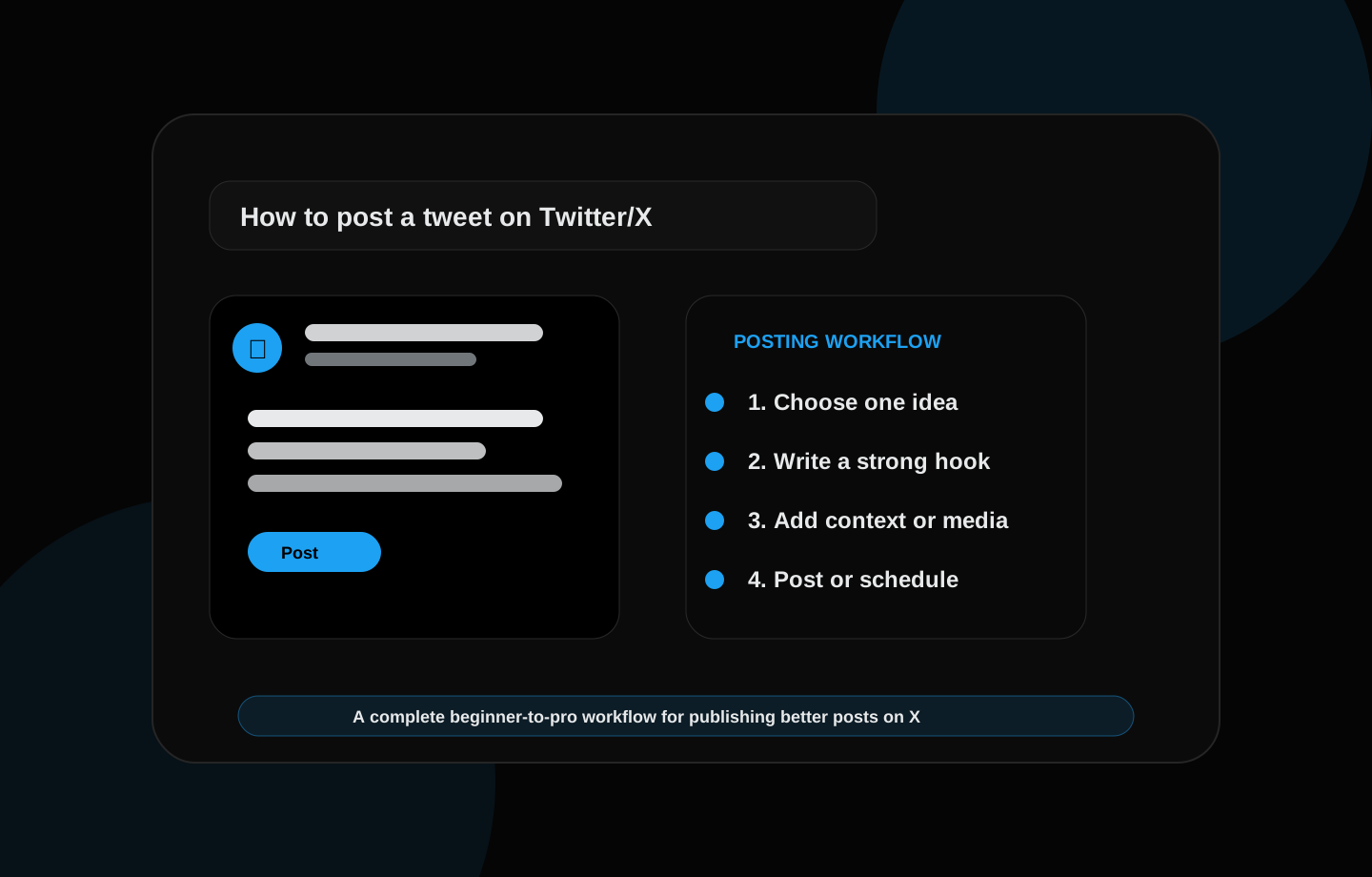
Think of every post as a four-step workflow: choose one idea, write a hook, add context, and publish or schedule. This keeps your writing simple and avoids the biggest beginner mistake: trying to say too many things in one post.
A strong post usually starts with a clear angle. For example, instead of writing “I learned about AI today,” you can write “AI becomes useful when you stop asking for content and start asking for decisions.” The second version is more specific and gives readers a reason to continue.
After the hook, add enough context to make the idea useful. That could be a short example, a mistake, a checklist, a result, or a question. Then decide whether the post should go live now or be scheduled inside your weekly content queue.
How to write your first tweet if you are confused
Use this simple formula: “I learned [lesson] from [experience]. Here is what changed.” This works because it gives the post a real source and a clear takeaway. People connect more with specific lessons than generic statements.
Example: “I learned that consistency on X is not about posting all day. It is about having a small queue of useful posts ready before the week starts.” This type of post is simple, honest, and easy to understand.
Another beginner formula is: “Most people think [common belief]. But [better insight].” Example: “Most people think scheduling posts means automation. But good scheduling is actually a review system that protects consistency.”
How to write a strong first line
The first line is the most important part because it decides whether people keep reading. A weak first line starts too slowly. A strong first line gives the reader a reason to care immediately.
Useful hook styles include a mistake, a lesson, a result, a question, a contrast, a warning, or a short story. For example: “I wasted 2 hours a week writing posts until I built a queue system.” That line is stronger than “Here are some posting tips.”
Do not trick people with a hook that the rest of the post does not deliver. The best hook creates curiosity and then rewards the reader with a useful point.
Should you use hashtags when posting a tweet?
Hashtags can help categorize a topic, but they are not magic. Too many hashtags can make a post look spammy. For most creator and SaaS posts, one or two highly relevant hashtags are enough, and many strong posts use none at all.
If the post already contains clear words like AI, startup, Twitter, X, content calendar, or scheduling, search engines and platforms can understand the topic from the text itself. Prioritize natural writing first.
Use hashtags only when they help readers understand context or join a specific conversation. Do not add a long list of tags at the end of every post.
When should you post a tweet?
There is no single best time for every account. The right time depends on your audience, location, niche, and post type. A student audience may behave differently from a founder audience, and a product update may behave differently from a personal lesson.
Start with simple testing windows: morning, afternoon, and evening. Post similar types of content across those windows and track replies, profile visits, link clicks, and saves. Do not judge everything by likes alone.
TweetQueue helps because you can schedule posts into different windows and review the results later. Over time, your own data becomes more useful than generic advice from the internet.
Post now or schedule later?
Post immediately when the idea is timely, personal, or connected to a live conversation. Schedule later when the post is evergreen, educational, part of a campaign, or better suited to a specific time window.
Scheduling is not about removing the human from the account. It is about protecting consistency. You can still reply live, join conversations, and adjust the queue when something changes.
A good posting system uses both methods. Publish live when the moment matters, and schedule planned content so your account stays active even on busy days.
Common mistakes beginners make when posting tweets
The first mistake is writing too broadly. A post like “AI is changing the world” is true, but it is too general. A better post says exactly how AI changed one workflow, decision, or result.
The second mistake is posting without reviewing the first line. If the first line is weak, the rest of the post may never be read. Rewrite the hook until it is clear and specific.
The third mistake is posting only when motivated. Growth comes from a repeatable system. You need an idea bank, a queue, a review habit, and analytics feedback. That is the workflow TweetQueue is built around.
Example tweets you can learn from
Example 1: “I stopped trying to post more on X. Instead, I built a queue of 10 useful ideas every Sunday. Consistency became easier when the week was already planned.” This post works because it is specific, practical, and based on a simple behavior change.
Example 2: “A good tweet does one job. It teaches one idea, asks one question, shares one lesson, or starts one conversation. The moment you add five goals, the post becomes confusing.” This works because it gives a clear rule readers can remember.
Example 3: “Scheduling tweets is not lazy. Scheduling weak tweets is lazy. A good queue is reviewed, edited, and timed with intention.” This works because it challenges a common belief and explains the better view.
How TweetQueue helps you post better
TweetQueue is built for people who want to post consistently on X without turning their account into noise. It helps you organize posts, plan a content calendar, use AI for drafts, and review your queue before publishing.
Instead of writing random posts every day, you can build a weekly system: collect ideas, create posts, improve hooks, schedule the best ones, and study what worked. That is how posting becomes a repeatable growth habit.
The goal is not to automate personality. The goal is to make consistency easier while keeping the voice, judgment, and final review in your hands.
A practical workflow you can use today
Start by writing down ten rough ideas from your real work: customer questions, product decisions, lessons learned, screenshots, mistakes, launch updates, and opinions you keep repeating in conversations. These raw ideas are more valuable than generic prompts because they come from your actual experience.
Next, turn each idea into one clear post angle. A single idea can become a short lesson, a question, a checklist, a mini-story, or a product note. Choosing the angle before writing keeps the post focused and makes the final queue easier to review.
Finally, schedule the strongest posts into a weekly queue. Do not fill every slot just because you can. A smaller queue of strong posts usually performs better than a crowded queue of weak content.
Common mistakes to avoid
The biggest mistake is creating posts only because a keyword looks attractive. Search visibility matters, but readers stay when the page or post actually helps them solve a problem. Useful content should answer the search intent completely and give examples the reader can apply.
Another mistake is using the same hook style every day. Repeated patterns make an account feel automated. Mix direct lessons, questions, short stories, mistakes, proof points, and practical checklists so the feed feels human.
Do not publish AI output without review. AI is helpful for brainstorming and rewriting, but your final post should still sound like your account and match what you actually believe.
How TweetQueue fits into this system
TweetQueue helps you move from random posting to an organized publishing workflow. Instead of guessing what to post every day, you can prepare ideas, review your weekly queue, and schedule content around the windows that matter most to your audience.
The best use of TweetQueue is not blind automation. It is controlled consistency. You stay responsible for the message, while the system helps you publish on time and keep your content calendar clean.
Quick checklist
- Choose one clear idea before writing
- Write a strong first line or hook
- Add useful context, proof, media, or an example
- Review the post for clarity and tone
- Post immediately if it is timely or schedule it if it is planned content
- Track replies, profile visits, clicks, saves, and follow-up conversations
- Use TweetQueue to organize posts into a consistent weekly workflow
Frequently asked questions
Should I schedule every post on X?
No. Schedule planned educational posts, product updates, launch reminders, and recurring content. Keep space for live replies, timely opinions, and real conversations so your account still feels active and human.
Does longer content always rank better on Google?
No. Length alone is not the goal. A longer article helps only when it gives a more complete, useful, and satisfying answer. The content should cover the topic deeply without adding filler.
Can AI write my X posts for me?
AI can draft hooks, variations, and content calendars, but you should still review the final post for accuracy, tone, and originality before scheduling it.
Plan these ideas inside TweetQueue
Turn the checklist into scheduled posts, review the week, and keep your X content consistent without rushing every day.
Start Scheduling Free